
Configure the Path Optimizer
Learn how to configure and get started with path optimized journeys
Follow the given steps to use this condition.
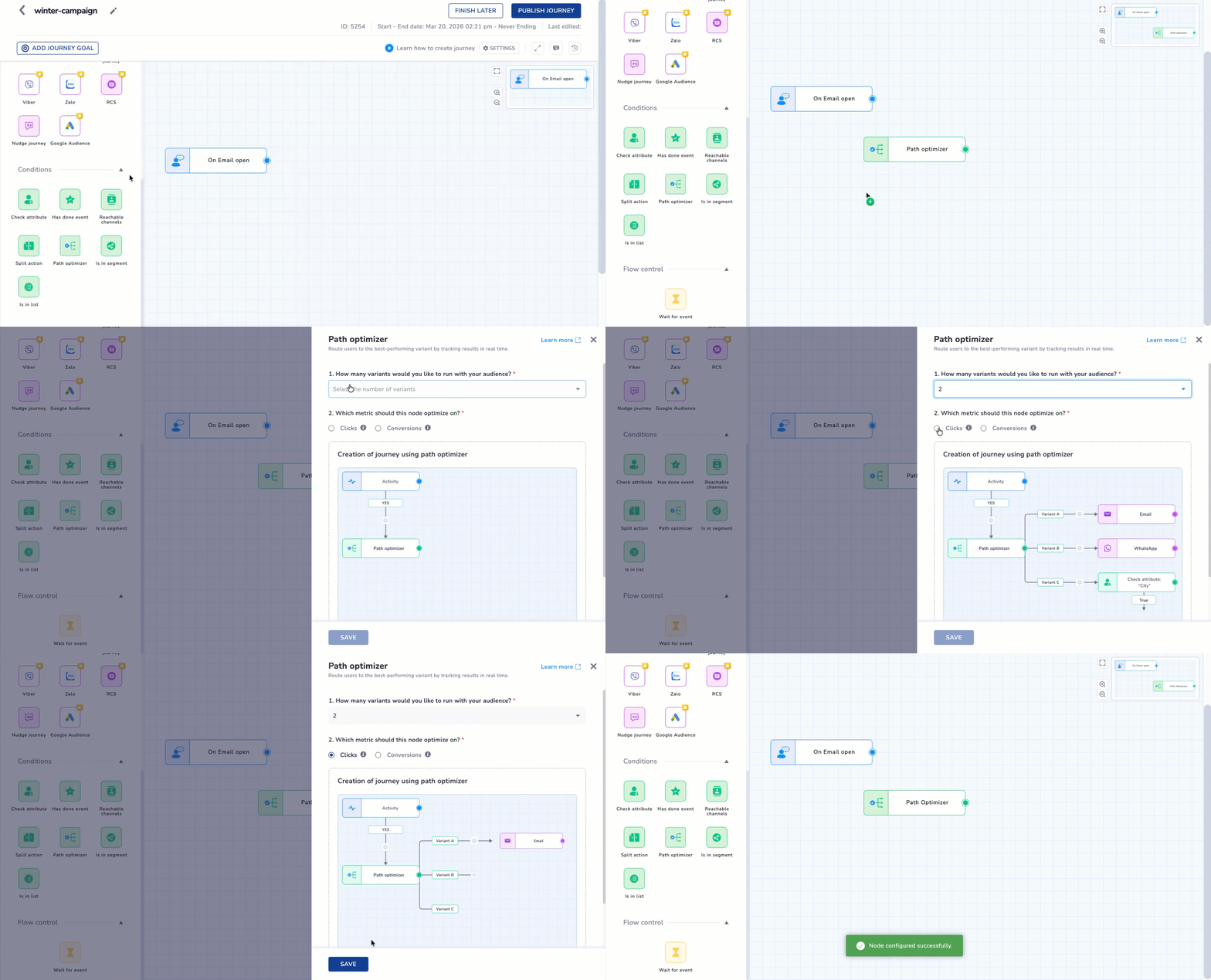
- Drag & Drop the Path optimizer conditions panel on the Journey canvas.
- Click the Path Optimizer node to open the configuration modal.
- Complete the following fields:
| Option | Description |
|---|---|
| Number of branches | Select the number of branches (minimum 2, maximum 5). Each branch will be named as Variant 1, Variant 2, and so on. |
| Success metric | Choose a KPI for optimization: When Conversions/Click is selected as the success metric, the journey evaluates performance based on the configured Journey Goal event. |
NoteVariant Naming: By default, paths are named Variant 1 through Variant 5.
Configure the Path Optimizer
Updated about 1 month ago
Did this page help you?