
Email : Product Collection
Product Collection in Email
The Product Collection feature enables marketers to display a curated set of products or items tailored to an individual user based on their recent activity. This helps deliver personalised experiences and improves engagement and conversions.
ECommerce Brand Product Collection ExampleConsider an e-commerce platform where users browse multiple products and add some items to their cart but do not complete the purchase. Using Product Collection, marketers can:
- Target these users through journeys.
- Showcase products they have shown interest in.
- Recommend additional relevant items.
This approach helps convert window shoppers into buyers.
How It Works
To use Product Collection in a journey, create or open a Journey. In the Journey Details page
- Enable the Product Collection toggle.
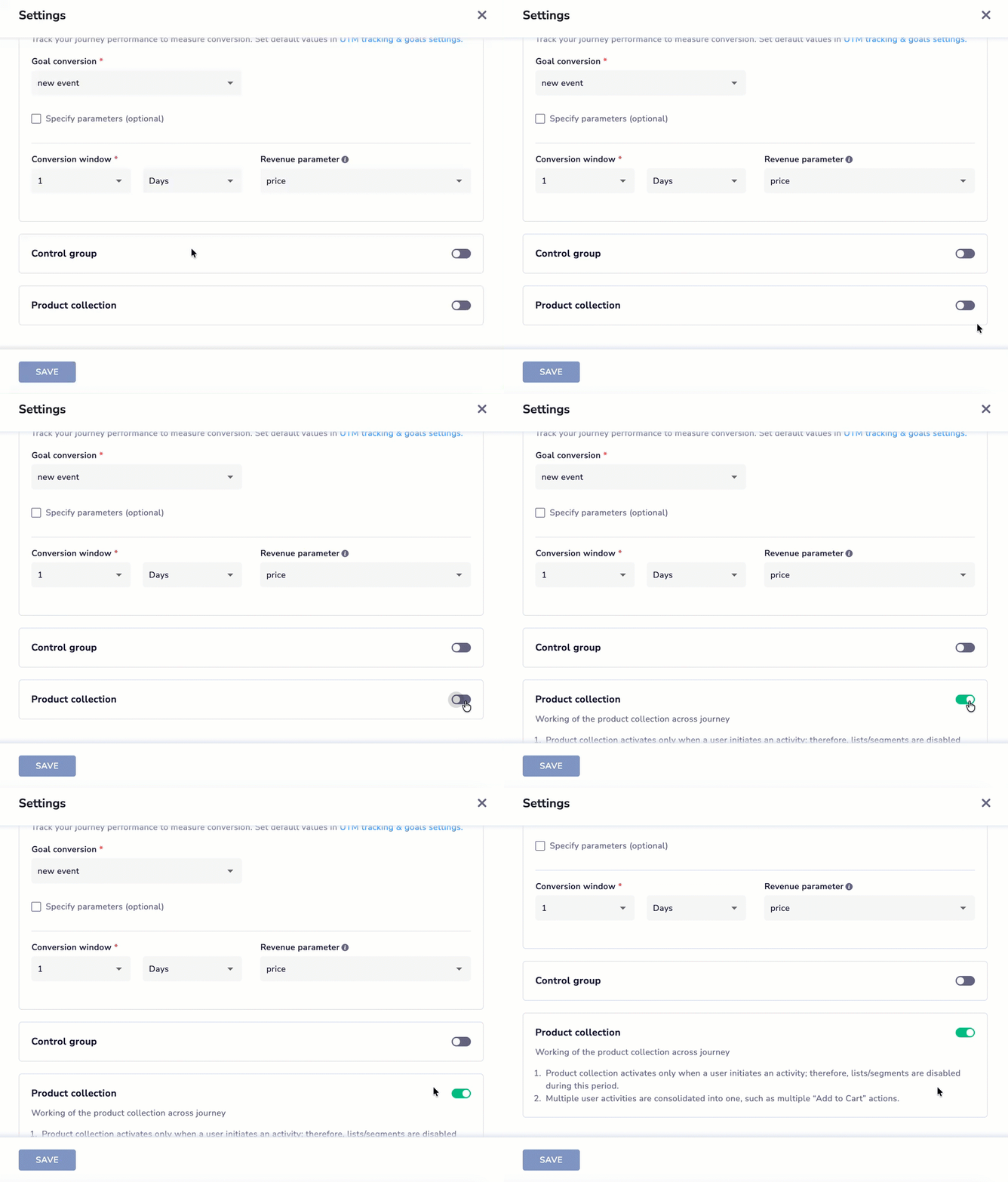
Enable Product Collection in Journey
- Configure the journey by selecting the created Product Collection template from the drop-down menu in the Email Action Node.
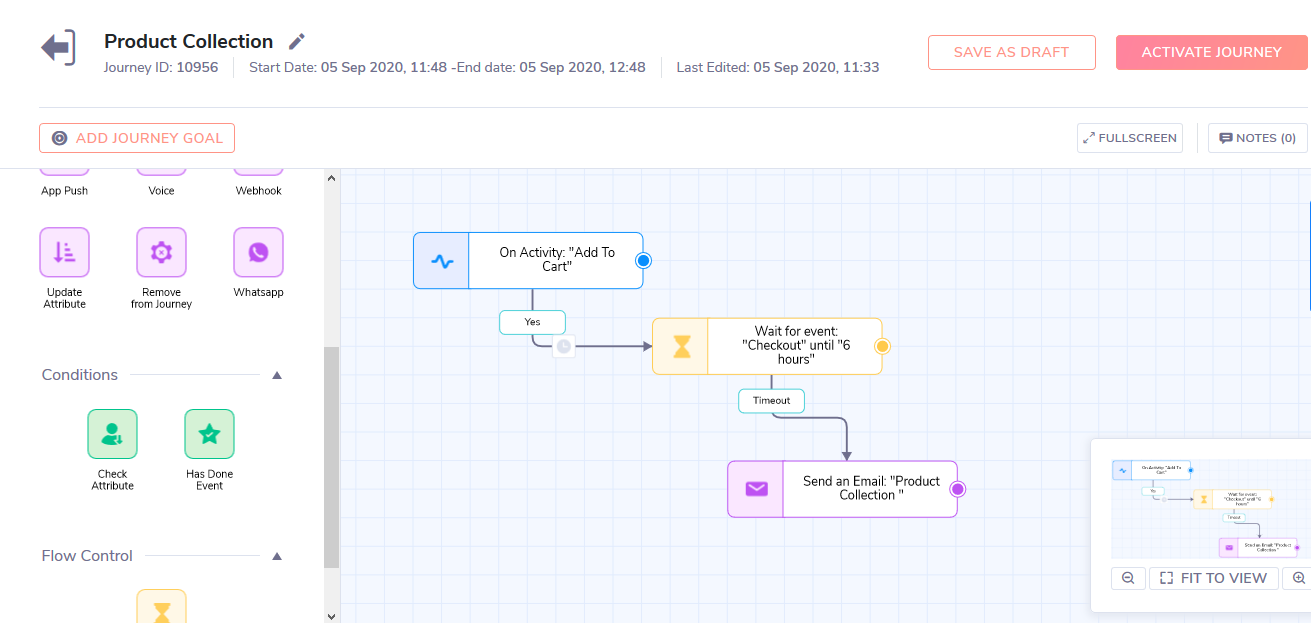
Visual representation of a sample journey setup using Product Collection
Important Note to Use Product Collection in Journey :
- Product Collection will work only on Activity Trigger.
- Multiple occurrences of the activity by the same user will be combined into a single occurrence.
- prid is compulsory for product collection, in the absence of which no email will be sent.
- Payload personalisation will work with Product Collection.
Once we are ready with our journey node, we need to configure the email node by selecting the respective Product Collection template and selecting the Claim and Abandon Activity, in the example above the claim activity will be Checkout and the Abandon activity will be Add to Cart.
Refer here for details on creating a product collection template here.
Updated about 1 month ago