
Gamification Template Library
Build engaging in-app experiences with ready-to-use Custom HTML templates. Simply paste the template into the Netcore Code Editor, update the configuration, and publish
Every template in this library is a self-contained Custom HTML file. Paste it into the in-app Code Editor, update the small configuration block at the top, and publish. No developer involvement is required to configure the settings.
Gamified in-app messages turn a passive announcement into something your users act on. Instead of showing a flat discount banner, you give people a reason to tap: a wheel to spin, a card to scratch, a box to open. Start with Custom HTML to learn how to add HTML to an in-app campaign, then come back here to pick a template.
Before using the template, ensure the following requirements are met.
These templates assume your app already meets the prerequisites above. If any requirement is missing, the template may fail to render or some features may not work as expected.
Use Custom Code for Template
-
Log in to the Netcore CE panel, and navigate to create an in-app campaign or in app template. See Custom HTML for the full campaign flow.
-
Select the template type and click on Custom HTML.
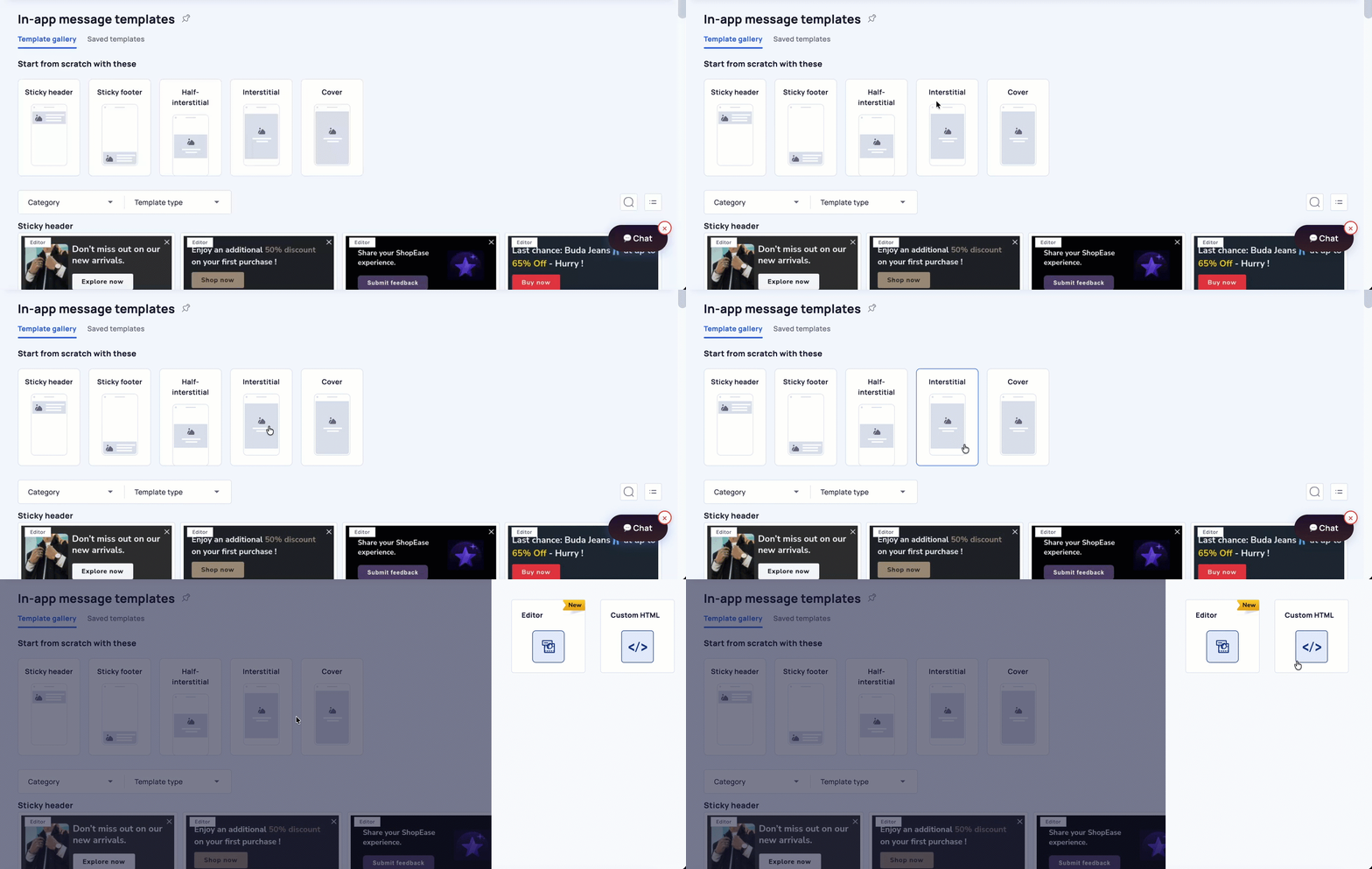
-
Paste the code into the Code Editor and select Validate.
-
Preview the message, then schedule and publish.
Available Templates
Showcase multiple offers or products in a swipeable interactive experience.
Eight configurable reward segments with weighted odds, confetti, coupon copy, and a claim deeplink.
Reveal a hidden reward by scratching the card and turning discounts into interactive experience.
Tap to open a virtual gift box and reveal a surprise reward, increasing engagement.
Pull the lever to spin the reels and reveal a reward code when the symbols align.
Engage users with a quick quiz and reward them based on their answers.
Workflow
The custom HTML template codes has two parts:
The CONFIG block sits at the very top of the file and holds everything you are expected to edit: colors, copy, reward values, odds, button labels, and destination links.
Everything below it is the working template, including the Netcore SDK integration, the widget layout, and the interaction logic. Leave this section alone unless you are making developer-level changes.
Updated about 1 hour ago